nginx.vim (with better syntax highlighting)
I’m editing nginx configuration files. A lot. Naturally, I’ve tried several plugins for my favorite editor vim - but ran around a lot of problems:
- Most of the plugins available are outdated.
- Even syntax highlighting of the current vim plugin distributed with the nginx release has some deficits.
- I’ve been tired of copying around secure
ssl_cipherdirectives, etc.
So, I’ve created a new, super-cool and mega-advanced vim plugin for nginx!
Ladies and gentlemen: Please welcome, chr4/nginx.vim!
Edit: This plugin was integrated into Vim and Neovim upstream!
Features
The plugin is based on the recent vim plugin distributed with nginx-1.12.0 and additionally features the following syntax improvements:
- Highlight IPv4 and IPv6 addresses
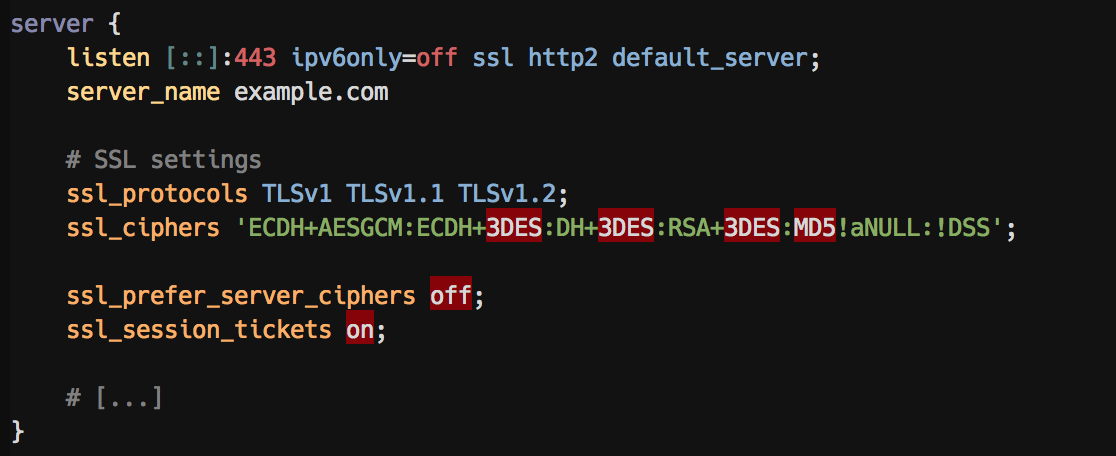
- Mark insecure
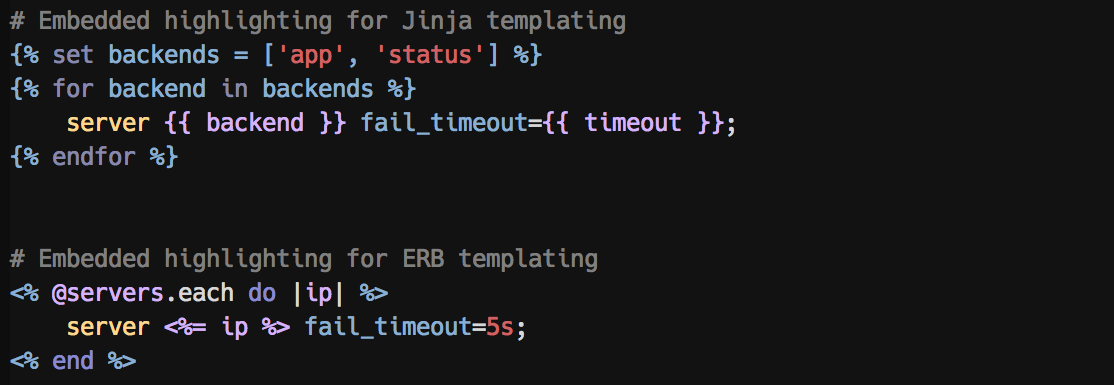
ssl_protocolsas errors - Inline template syntax highlight for ERB and Jinja
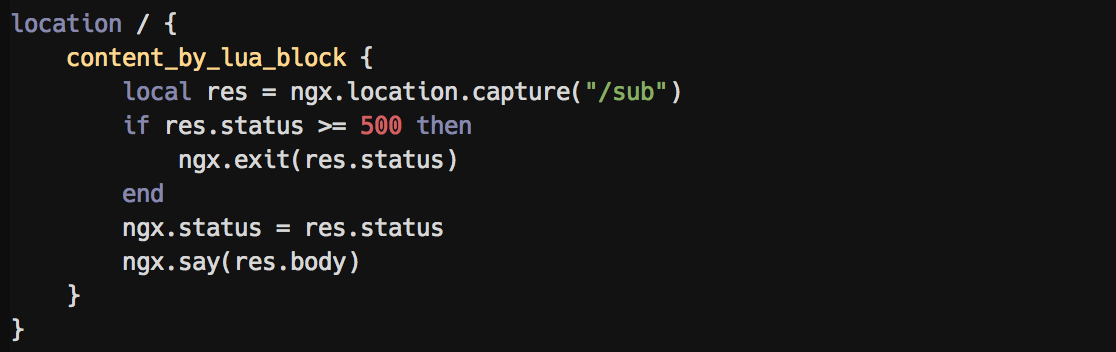
- Inline syntax highlight for LUA
- Improve integer matching
- Syntax highlighting for
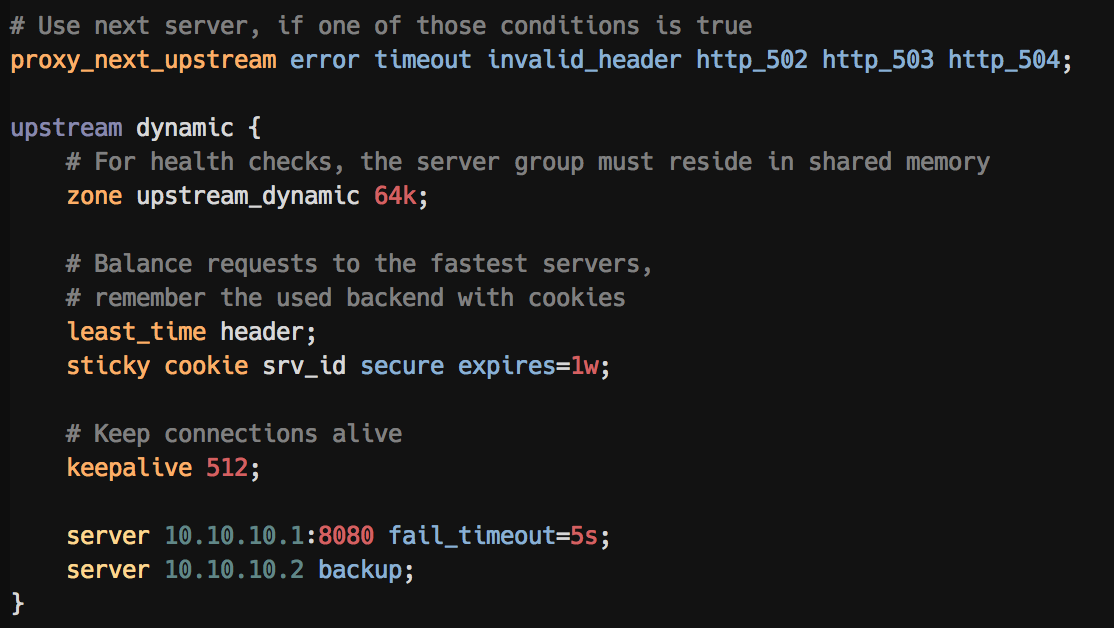
proxy_next_upstreamoptions - Syntax highlighting for
stickyoptions - Syntax highlighting for
upstreamserveroptions - More to come!
Furthermore:
- Remove annoying delimiters, resulting in strange word boundaries
Screenshots
A server block with highlighted insecure SSL options:
An upstream block with highlighted options:
Embedded highlighting for ERB and Jinja templates:
Embedded LUA syntax highlighting:
Snippets
The plugin comes with useful snippets which can be accessed using e.g. vim-snipmate.
Select a decent cipher for your requirements (all of them can provide SSLLabs A+ ratings)
ciphers-paranoid<tab>: Even-more-secure ciphers (elliptic curves, no GCM), not compatible with IE < 11, OpenSSL-0.9.8, Safari < 7, Android != 4.4ciphers-modern<tab>: High security ciphers (elliptic curves), not compatible with IE < 11, OpenSSL-0.9.8, Safari < 7, Android < 4.4 (recommended)ciphers-compat<tab>: Medium security ciphers with good compatibility (No IE on WinXP) but TLSv1 and SHA requiredciphers-old<tab>: Low security ciphers (using weak DES and SHA ciphers, TLSv1), but compatible with everything but IE6 and Java6ssl-options<tab>: Bootstrap secure SSL options
Example:
# High-security ciphers (elliptic curves), less compatibility
# No IE < 10, OpenSSL-0.9.8, Safari < 7, Android < 4.4
ssl_protocols TLSv1.1 TLSv1.2;
ssl_ciphers 'ECDHE-ECDSA-AES256-GCM-SHA384:ECDHE-RSA-AES256-GCM-SHA384:ECDHE-ECDSA-CHACHA20-POLY1305:ECDHE-RSA-CHACHA20-POLY1305:ECDHE-ECDSA-AES128-GCM-SHA256:ECDHE-RSA-AES128-GCM-SHA256:ECDHE-ECDSA-AES256-SHA384:ECDHE-RSA-AES256-SHA384:ECDHE-ECDSA-AES128-SHA256:ECDHE-RSA-AES128-SHA256';
Or add a robots.txt file with robots.txt<tab>:
# Tell bots to not index this site
location /robots.txt {
    default_type text/plain;
    return 200 'User-agent: *\nDisallow: /\n';
}
It also has auto-completion for location and server blocks with location<tab> resp. server<tab>, and many more!
Installation
Just plug it in using your favorite vim package manager
For example vim-plug (which I’m currently using):
Plug 'chr4/nginx.vim'

" Optionally, if you like Jinja template syntax highlighting
Plug 'lepture/vim-jinja'
For further information and installation options, please consult the README.
Feedback and further improvements welcome! Just file an issue or pull request on Github, or contact me